AI templates
Write stories with AI
Let Claude, ChatGPT or another AI write a story in the exact format OBEATR imports.
OBEATR stories are plain JSON. An AI can write that JSON for you, and the story editor imports it. The templates on the next pages tell the AI exactly which format to use.
How it works
- Copy a prompt from Create a story, Extend a chapter or Translate a story.
- Paste it into Claude, ChatGPT or another AI and fill in your idea (or paste your exported story).
- Save the answer as a
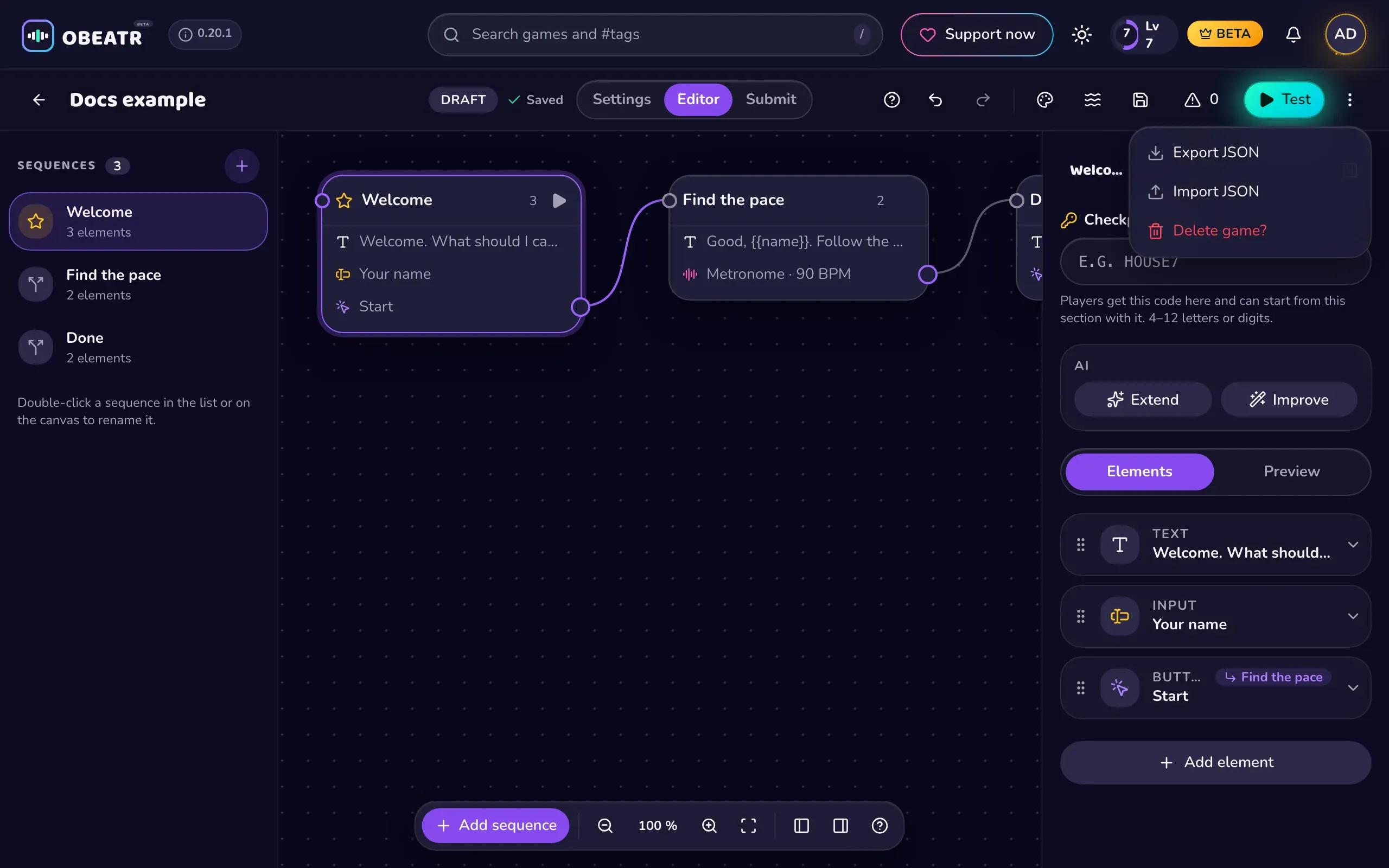
.jsonfile. - In OBEATR open your story in the editor, then ⋮ → Import JSON and choose the file.
- Fix anything the editor flags, add real image URLs, then submit.
Files for the AI
For the best results attach or paste these with your prompt:
- story.schema.json – the machine-readable format, always in sync with the app.
- story.json – a small valid example.
The import checks the format. If the editor says "This file isn't a valid story", ask the AI to check that all ids are unique 8-character ids, sequence titles stay under 60 characters, labels under 40 and texts under 2000. Flow problems (a button pointing nowhere, no path to the end) are listed in the checklist when you submit.