Story editor
A story is a graph of sequences. Each sequence holds up to 20 elements (text, images, buttons and more) and links to the next sequence. Players move through it page by page, see Story games. Prefer to let an AI draft it? See Write stories with AI.
Sequences and the graph
The list and the graph show the same sequences. Double-click empty graph space to add one, drag a title to move it, and drag from the dot next to an element onto a card to connect it. A square at the end of a line means "story ends here". Set one sequence as start, and make at least one path lead to the end.
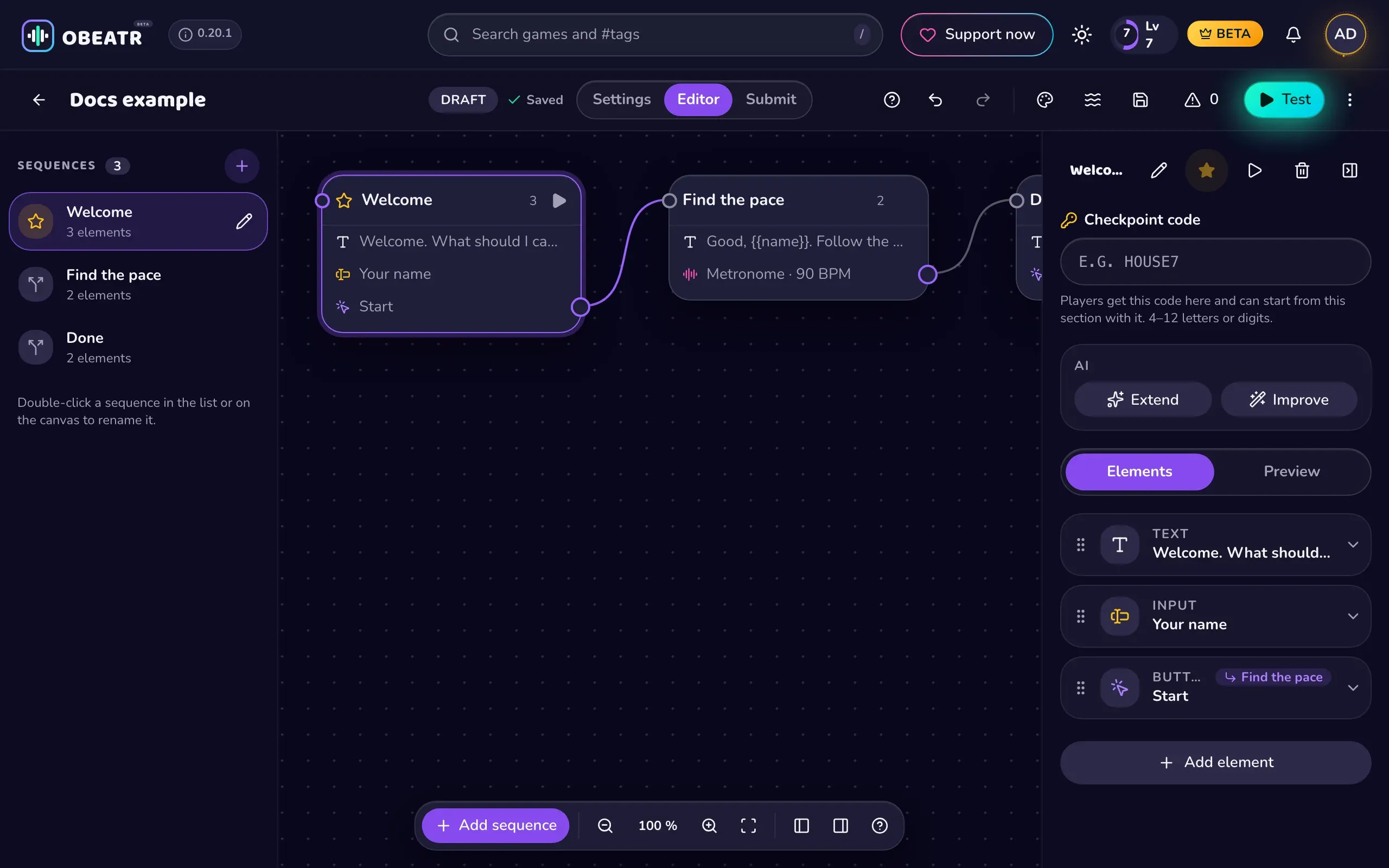
Shift + click selects several cards; Create group frames them and can collapse them. Groups are for tidiness only. A sequence can have a checkpoint code (4 to 12 letters or digits) that lets players start right there.
Test plays your story in the editor. The warning counter lists unreachable sequences, dead ends and similar problems. Undo and redo cover every edit.
Elements
- Text: shown text. You can add variants, and one is picked at random each visit.
- Image: an image from an https URL or a source, see Image sources.
- Input: asks the player for a value, stored in a variable.
- Button: continues the story. It can change variables (effects), be greyed out until a condition is met, and lead to a sequence, rules or random options.
- Timer: counts down, then continues automatically or shows a button. A random range and a hidden countdown are possible.
- Sound: plays an audio file from an https URL, with volume and repeats.
- Video: plays a video from a direct https file link, with loop and mute options.
- Read aloud: the browser speaks the text.
- Dialogue: speech bubbles one after another, with optional typing animation and read-aloud.
- Metronome: a beat at a BPM, for a number of beats or endlessly. Tempo can ramp, wave or drift randomly, or come from a variable.
- Depth: moves the depth guide: fixed, glide, wave, random, with the metronome, or step by step.
- Climax (shown as "Cum" in the element picker): after a delay, the depth display fills over a set duration. It only shows when the sequence has a depth.
- Typing: the player types a line several times. Minigames have no scoring.
- Wordle: guess a word of 3 to 10 letters in a limited number of attempts. It has a success and a fail target.
- Jigsaw: a picture puzzle from an image URL.
- Persistent button / Remove persistent button: a button that stays visible in all following sequences until removed, for things like "Take a break".
- Set variables: runs when the sequence starts.
Variables, rules and randomness
Variable names start with a lowercase letter and may use digits and _ (up to 30 characters). Write {{name}} in text, labels and values to insert a variable. time_min is built in and holds the minutes since the game started.
A button or timer target can be a sequence, the end, Rules or Random. Rules are checked in order: equals, does not equal, is empty, is not empty, is at least, is less than. The first match wins, otherwise the fallback is used. Random options have weights from 1 to 100. Effects set, add, subtract or pick a random number from a range like 1-7.
Export, import and AI
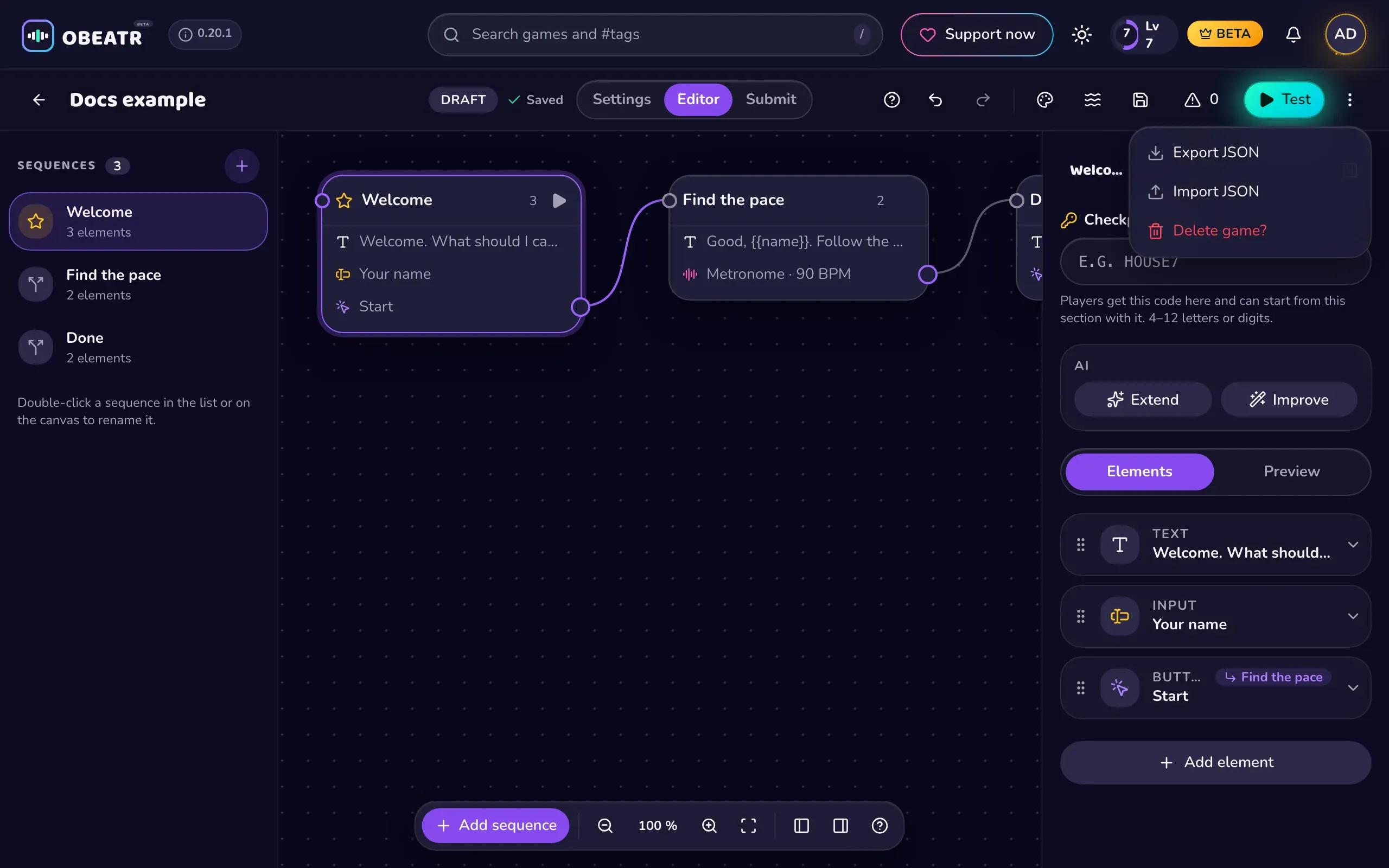
The ⋮ menu in the editor header has Export JSON and Import JSON. Import checks the file and is one undo step. The AI assistant inside the editor can create a story from an idea on an empty draft, extend a selected sequence, or improve one. Its monthly quota depends on your plan.
Limits
- Up to 1000 sequences (Free plan: 100), 20 elements each
- Up to 10 rules or random options per target, 5 effects per button
- Up to 30 groups, 20 remembered variables
- Title 60 characters, text 2000, button label 40
- Up to 20 images per list, 20 text variants, 30 dialogue lines
Ready? See Submit your game.