Editor and customizer settings
Some things are set by you as the author, others by each player. Knowing who decides what avoids surprises. Players change their own settings on the Customize page. Some options need a higher plan or enough loyalty levels.
What you set as an author
Story background. In the story editor toolbar, choose a mood backdrop: none, calm, sexy, dreamy or warm. These are plain gradients. The player's own choice wins; the default Author's choice uses yours.
Smooth transitions. The depth glides in at the start, smoothly between sequences, and slowly out at the end.
Remember progress. Reached checkpoints are always remembered for signed-in players. You can additionally pick variables that carry over to the next run.
Depth cues per sequence. A depth element can suggest an indicator mode (dildo or stroker) and an x-ray opening for that sequence. Leave it on Player's choice to respect the player.
Metronome sound. A game can bring its own metronome sound, chosen in the game's settings. Without one, the player's own sound is used.
What players can customize
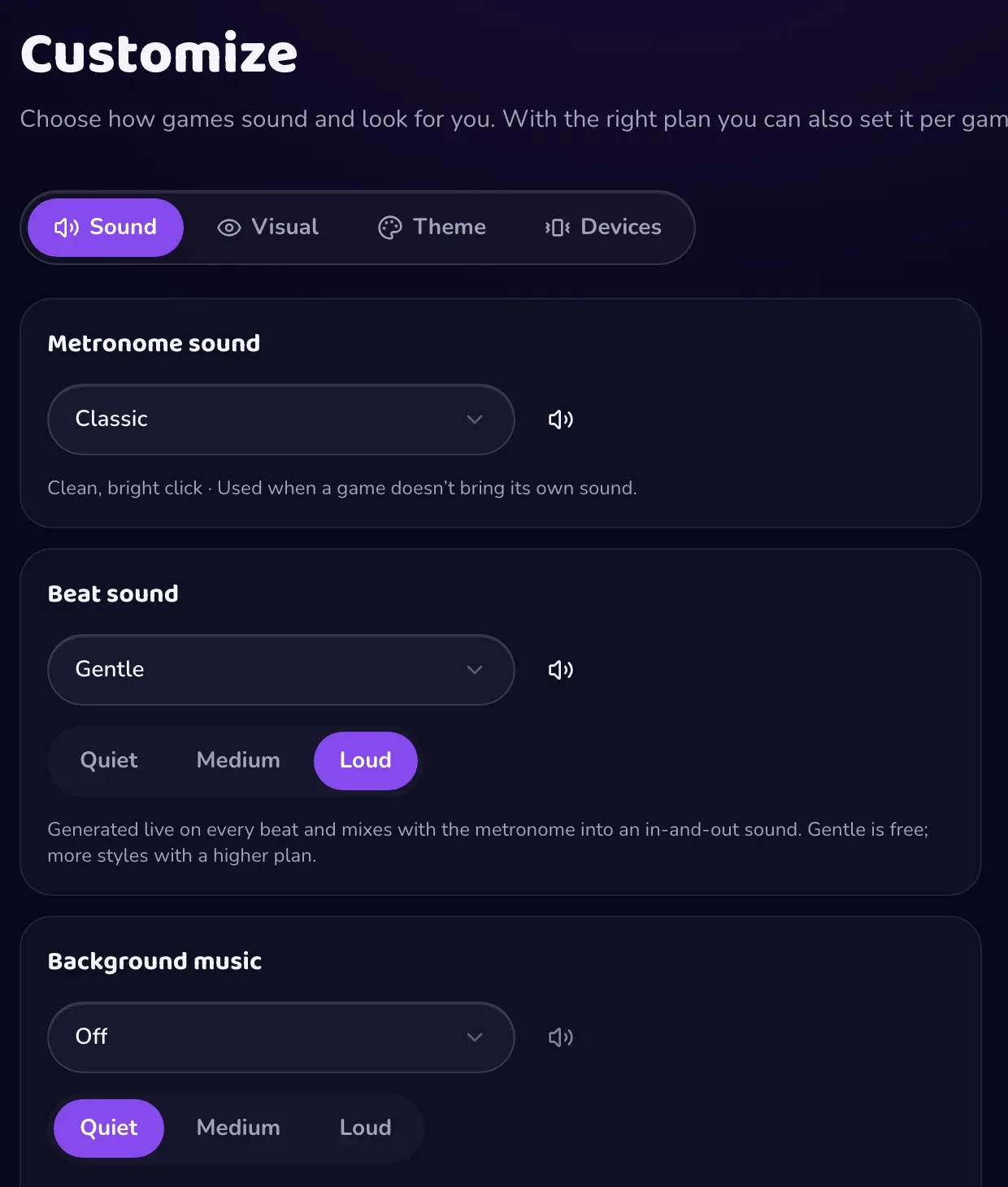
The Customize page has tabs for Sound, Visual, Theme and Devices, with a live preview.
- Metronome sound: classic, wood, digital, soft, kick, spank, drop, cowbell, hi-hat, clap, heartbeat, bell, snap.
- Beat sound: off, gentle, deep, hard or wet, generated live on every beat, with a volume.
- Background music: off, ambient or dark, with a volume.
- Stage theme: default, neon, sunset, mono, or custom accent colors. Brightness is adjusted so text stays readable.
- Stage backdrop: author's choice, none, the four moods, a custom gradient or a custom image.
- Depth guide: shape (a ball, a ring and many models, or your own image), color, size, visibility, side, and placement (in content, overlay or beside).
- Mode: the shape slides with the beat, or stays put while a hand strokes up and down (drawn or realistic).
- View: a simple bar, or an x-ray cross-section with a selectable opening.
- Follow story cues: when on, a story may switch mode and opening per sequence. Off means always the player's choice.
Players can also save separate settings for a single game with Customize for this game, with the right plan.
Account settings creators use
On the Settings page you can add up to six profile links. Patreon, Ko-fi and Throne show as a support button. You can also turn email notifications on or off, so you hear about reviews of your games, change suggestions and co-editing invitations. See Submit your game.