Connect devices
OBEATR can drive compatible devices in time with the beat. Connection happens in your browser, directly from your device, and nothing about your hardware is sent to OBEATR. Device support is still in alpha: use it at your own risk and stop at any time if something feels wrong.
Where it works
The Devices button sits in the player bar of video games, story games (and random mode), the 3D simulator and the Domina. Settings are also available under Customize and in your account settings. Devices stop immediately on pause, stop, the end of a game or when you leave the page.
Ways to connect
Choose Connect via:
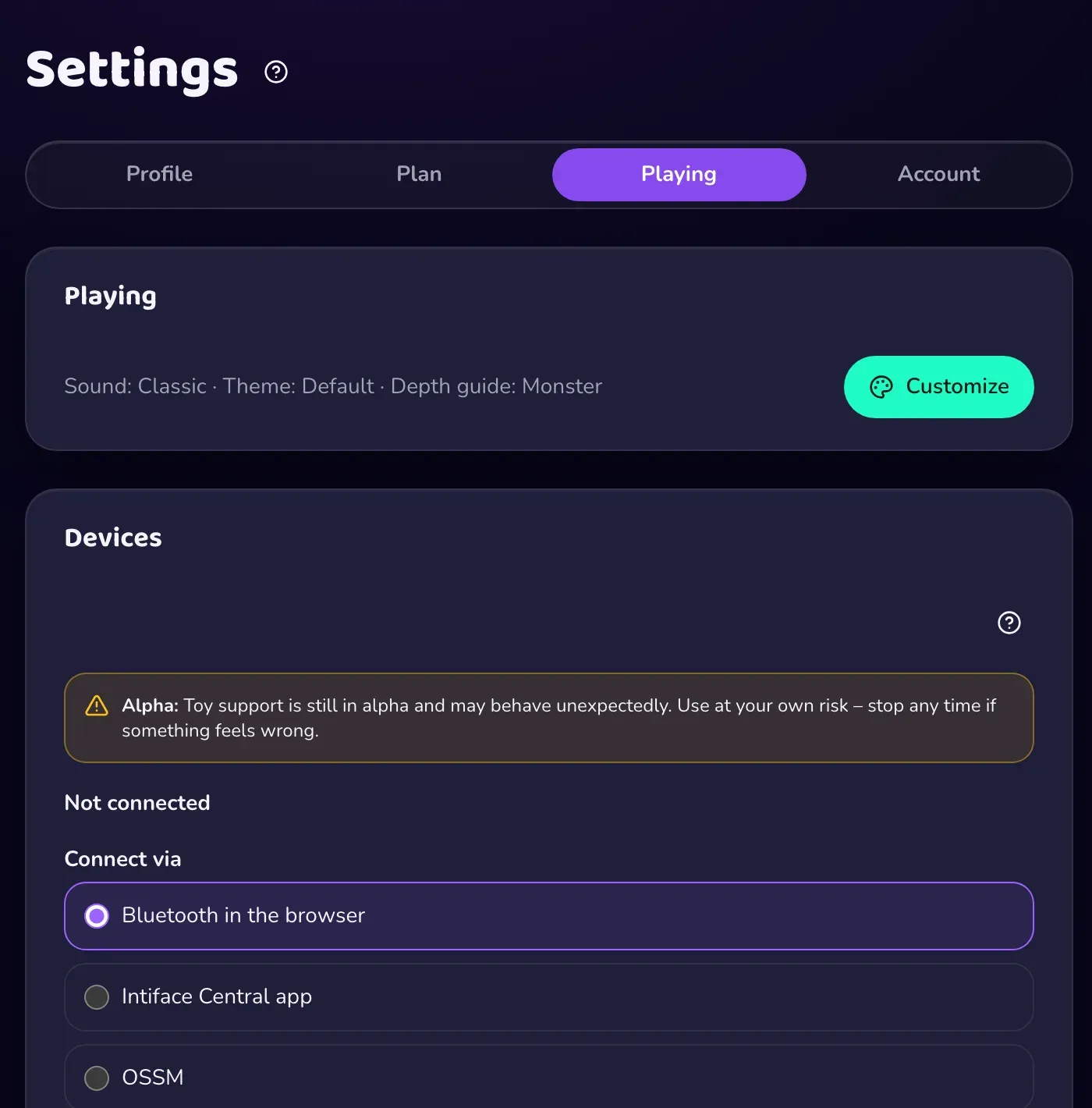
- Bluetooth in the browser: pair a device directly. You need Chrome or Edge on desktop or Android. Safari, Firefox and iPhone have no Bluetooth access in the browser. Turn the device on, press Pair device and pick it from the browser's list.
- Intiface Central app: start Intiface Central on your computer or phone, start its server, then press Connect. The default address is
ws://127.0.0.1:12345. It supports many devices and works where browser Bluetooth doesn't. - OSSM: pair an OSSM running the OSSM Lite firmware over Bluetooth. Set top speed, acceleration and the shallowest and deepest point first. The machine never goes beyond them, and nothing moves until a game runs.
Settings
- Strength scales vibration.
- Offset (in milliseconds) makes the device react earlier or later to match your setup.
- Test pulse checks that the connection works.
- For machines that only take a speed, a Machine section lets you calibrate strokes per minute at 100 percent, top speed and start threshold, and run a 10-second test at 120 BPM. These machines follow the tempo, not each single beat.
Chaster
For the Domina you can connect a real Chaster lock by adding the "OBEATR Domina" extension in Chaster and pressing Connect to OBEATR. She can then add time, remove time or freeze the lock within your limits: at most 12 hours per action and 24 hours per day, never beyond your maximum chastity. It never changes Chaster's own emergency settings. Availability depends on whether the operator has enabled the integration.
Creators can also export beats as a Funscript from the video editor.